Learn

Field surveying, taught well.

Plain-language tutorials, deep guides and a working glossary — for the surveyors, engineers, farmers and students learning MapLab Survey.

Quick start

Your first survey in 60 seconds.

Three taps from install to a measured polygon you can email to a colleague.

  1. 01
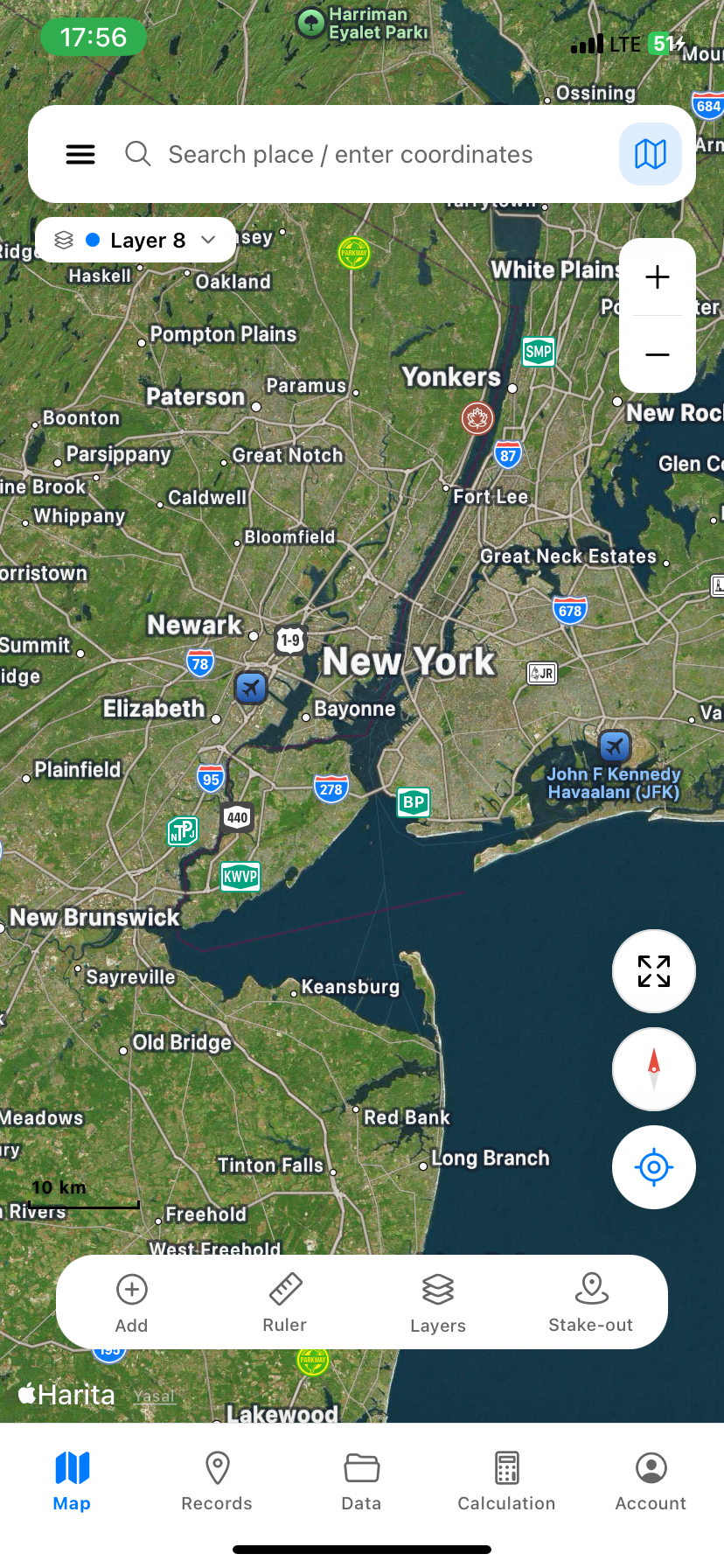
    MapLab Survey opened on a satellite basemap, centered on the user's location

    Open & locate yourself

    Tap the locate button. The map snaps to your GPS position — typical phone accuracy is 3–5 m.

  2. 02
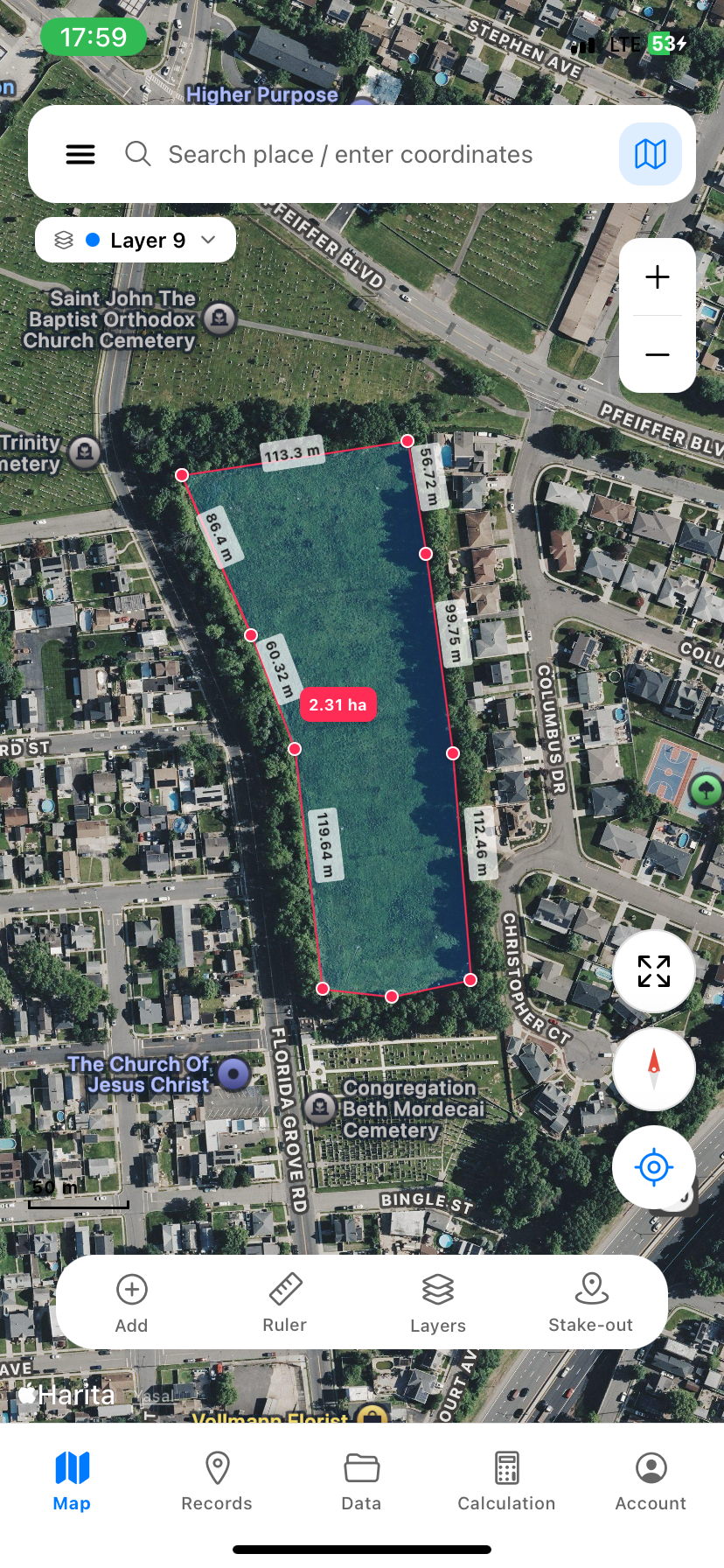
    A red polygon drawn on satellite imagery with edge distances and area shown

    Draw your polygon

    Tap Add, then tap once at every corner. Auto-snap (5 m) keeps your last vertex tidy.

  3. 03
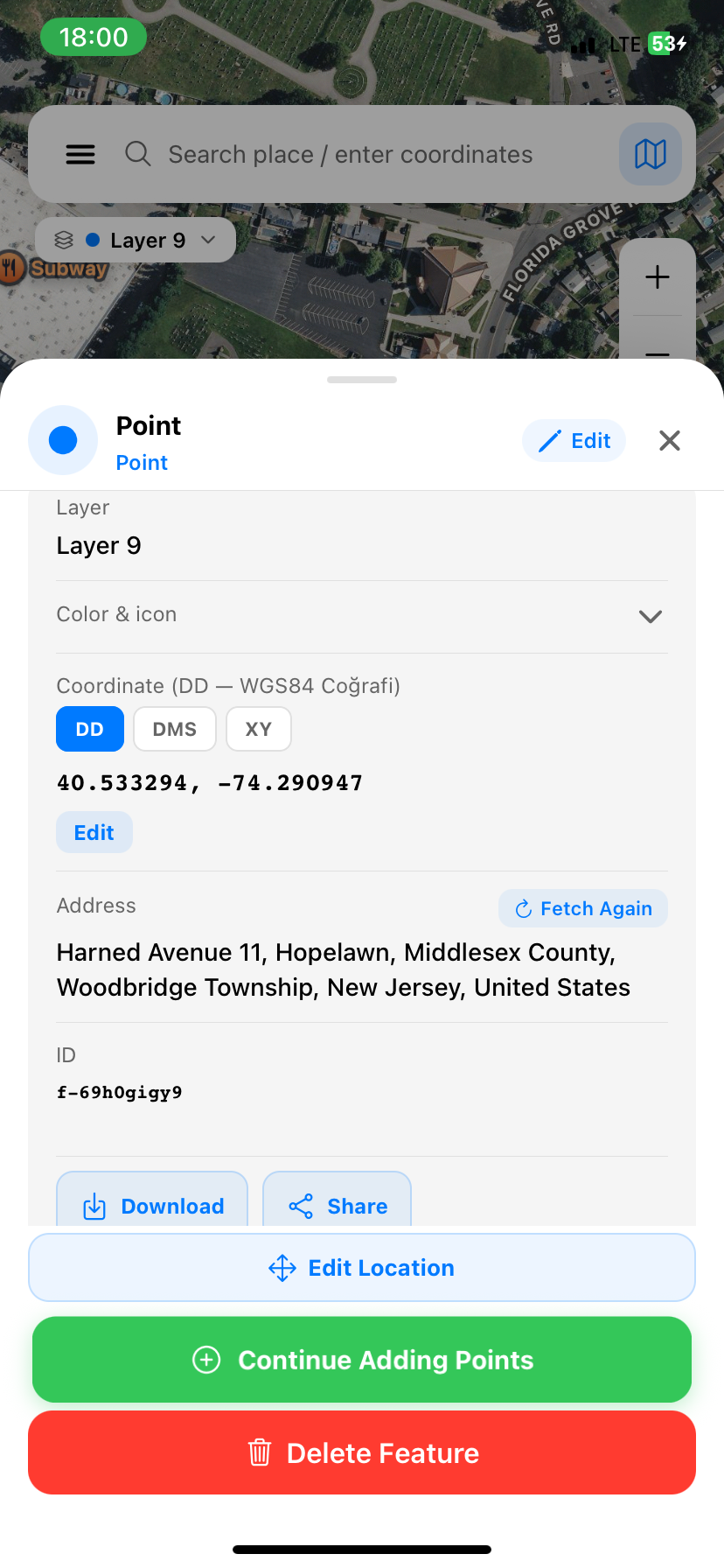
    Feature detail sheet showing WGS84 coordinates, address and download / share buttons

    Read area & export

    Open the feature sheet to see area, perimeter and coordinates. Hit Share to send KML, DXF or PDF.

Tutorials

Pick a topic.

Nine guided walkthroughs covering the workflows our customers ask about most.

Video · Coming soon

Watch a real survey, end to end.

We're filming three short walkthroughs with working surveyors. Expected this autumn.

Coming soon 04:21

Field walkthrough: parcel ölçümü, Eskişehir

With a licensed surveyor · Turkish · EN subtitles

Coming soon 06:08

RTK setup with a Bluetooth GNSS receiver

NMEA, NTRIP, fix quality · Practical bench-to-field

Coming soon 03:42

Cut & fill: from SRTM to a şantiye estimate

Volume calculation for site planning · İzmir

In-app tour

28 steps inside the app.

Every new install ships with a 28-step interactive tour. Menü → Öğretici → Saha Turu — to replay it anytime.

  1. Welcome
  2. Menu & account
  3. Search & coordinates
  4. Map types
  5. Add a point
  6. Draw a line
  7. Draw an area
  8. Ruler modes
  9. Layers
  10. Stake-out
  11. AR compass
  12. Quick menu
  13. GPS track
  14. Contour lines
  15. Cut & fill volume
  16. Elevation profile
  17. Buffer zones
  18. Import / export
  19. Offline maps
  20. Reports
  21. Settings
  22. Profile
  23. Cloud backup
  24. Pro subscription
  25. Feedback
  26. Help
  27. Farewell
  28. Finish
Basemaps

Eight maps to choose from.

Each basemap is best for a different kind of work. All of them cache offline (except Apple Standard on iOS).

Type Best for Offline cache
Satellite (ESRI World Imagery) Parcel ID, land cover, sub-meter detail Yes
Hybrid (default) Satellite + road and place labels Yes
OpenStreetMap Streets, buildings, addresses Yes
ESRI Topo Topography & relief shading Yes
OpenTopoMap Contour-style topographic map Yes
Carto Light / Dark Clean background for analysis & print Yes
ESRI Wayback (historical) Past satellite imagery (2014, 2017, 2020, 2023) Yes
Apple Standard (iOS) Apple Maps native style No (Apple license)
Field tips

Six habits that make every survey easier.

Small adjustments to how you carry the phone, set up the day, and structure your project — collected from real field use.

01

Work in the open

Step away from buildings, foliage and steep walls. Open sky = healthy GPS signal. Wait 3–5 seconds after starting the app for the first fix to stabilise.

02

Cache the area the night before

Download offline tiles for tomorrow's site over Wi-Fi the evening before. Saves data, saves time, and works when the cellular signal disappears at the bottom of a valley.

03

Color-code layers by type

Blue for water, green for agriculture, red for structures. When you reopen the project six months later, you'll thank yourself.

04

Hold the phone flat

The compass calibrates better when the phone is horizontal. For AR stake-out and bearing readouts, keep it level.

05

Attach a photo to every important point

A picture beats a paragraph of notes. Photos are geotagged automatically, and they survive the round-trip to KML / KMZ — so colleagues see exactly what you saw.

06

Switch CRS to match the cadastre

For parcels in Ankara, set TUREF / TM30. Istanbul → TM33. Eastern provinces → TM36. Wrong central meridian gives a systematic eastings shift you'll spot only after the report is printed.

Glossary

A working surveyor's vocabulary.

Twenty terms you'll meet inside the app, with plain definitions.

CRS · Coordinate Reference System
The combined recipe of an ellipsoid, datum and projection used to place a coordinate on the ground.
EPSG code
A four- or five-digit ID for a specific CRS. TUREF / TM30 is EPSG:5254; WGS84 is EPSG:4326.
WGS84
The global datum used by GPS. Latitude / longitude in degrees. The default in MapLab Survey.
UTM
Universal Transverse Mercator. Splits the world into 60 six-degree zones; coordinates are eastings and northings in metres.
TUREF
The official Turkish national datum since 2005. Three TM projections (TM30, TM33, TM36) split the country.
ITRF
International Terrestrial Reference Frame. The geocentric realisation behind WGS84 and TUREF, refined every few years.
ED50
European Datum 1950 — Türkiye's pre-TUREF system. Still appears on older cadastral plans.
ETRS89
The European terrestrial reference. Used by neighbouring countries; useful for cross-border projects.
DEM · Digital Elevation Model
A raster grid of elevations. Inputs for contour lines, slope analysis and cut & fill volume.
SRTM
NASA's Shuttle Radar Topography Mission — a free global DEM at 30 m resolution. The default elevation source in Survey.
NMEA
The standard text protocol GNSS receivers stream over Bluetooth or serial. Survey reads NMEA over Bluetooth Classic and Serial.
RTK
Real-Time Kinematic. A correction technique that pushes raw GNSS error down from metres to centimetres.
NTRIP
The protocol that delivers RTK corrections over the internet. Connect to a CORS network and your receiver gets cm-grade fixes.
GNSS
Global Navigation Satellite System — the umbrella for GPS (US), GLONASS, Galileo and BeiDou.
Geoid
The bumpy surface that approximates mean sea level. Heights matter: ellipsoidal vs. orthometric can differ by 30–50 m.
Stake-out · Aplikasyon
Walking from your current GPS position to a target coordinate. Survey shows live distance + heading.
Buffer
An offset polygon around a feature at a fixed distance. Used for setbacks, easements, riparian zones.
Cut & fill · Kazı-dolgu
The volume of earth to remove (cut) or import (fill) to bring terrain to a target elevation. Computed under a polygon from the DEM.
Contour line · Eş yükselti eğrisi
A line on the map joining points of equal elevation. Tight spacing = steep slope.
Bearing · Azimut
A direction measured clockwise from north, 0°–360°. Survey shows azimuth on every line and edge.
Snap · Yakalama
Magnetic alignment of a vertex to a nearby line, point or grid intersection. Default radius 5 m.
FAQ · For new users

First-day questions, answered.

Which app do I download first?
Start with MapLab Survey on the App Store — it's the only live app today, and it covers measurement, stake-out and export end-to-end.
Do I need internet to use it?
No. Cache map tiles for your area first; everything else — drawing, measurement, coordinate conversion, export — works fully offline.
Why are my coordinates different from the cadastre?
Almost always a CRS mismatch. Your phone reports WGS84 lat/lon; the cadastre uses TUREF / TM30 in metres. Switch the display CRS in Survey and the numbers line up.
How accurate is my phone's GPS?
Typical phone GPS gives 3–5 m horizontal under open sky, worse near tall buildings. For cm-grade work, pair an external RTK receiver over Bluetooth.
Can I share a project with a colleague?
Yes. Export the layer as KML or KMZ and email it. They can import it directly into MapLab Survey, Google Earth, QGIS or NetCAD.
Does it work on Android?
Not yet. iOS is live today; Android is on our roadmap. Sign up via the contact form on the home page and we'll email you at launch.
Is it really free?
Yes — every feature, every coordinate system, every export format. No tiers, no in-app purchases.
Support

Stuck on a real survey?

Email us. We answer surveyors directly — usually within a day. If you're hitting an edge case the docs don't cover, we want to know.

maplabtech@gmail.com